



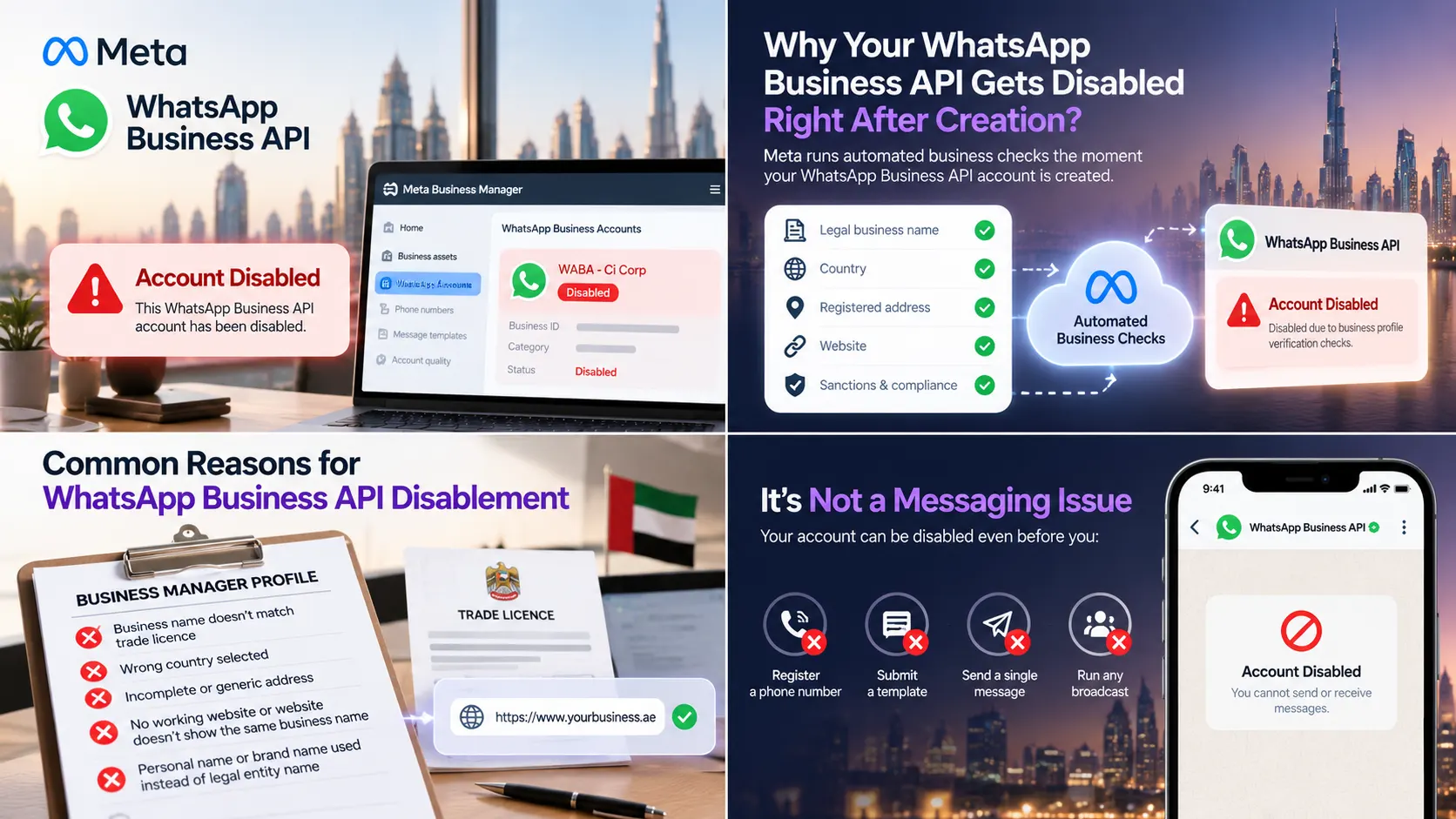
Quick answer: If a brand-new WhatsApp Business Account (WABA) is disabled within minutes of being created, before a phone number is registered, before a template is submitted, before a single message goes out, it is almost never a technical fault on the messaging side. It is an automated integrity check on the Business Manager profile behind the account, the legal business name, country, address and website, screened against Meta’s compliance and sanctions policy the moment the account is created. Only the account owner can request the review, and the fix starts with making the Business Manager profile complete and accurate.
It’s one of the most disorienting moments in a WhatsApp rollout. A business finishes onboarding, connects a number, and within minutes the account shows as disabled. No broadcast has gone out. No template has even been approved yet. The instinctive reaction is to assume something broke on the technical side, a bad configuration, an unlucky first message, a provider error. In reality, this exact pattern, disabled at creation, with zero activity behind it, points somewhere else entirely. It’s worth understanding before your business or your clients go through it.
It’s a Creation-Time Check, Not a Behaviour Check
When a WhatsApp Business Account is created, Meta runs automated checks on the business itself, not on how the account is used. The legal business name, country, registered address and website tied to the Business Manager are screened against sanctions lists and commerce policy. If that check fails, or a manual review flags something, the WABA can be disabled right there, before a phone number is even registered and before the business has had the chance to send a single message.
This is the detail that trips people up. Because the account is disabled so quickly, it feels reactive, as if something was done wrong. But there’s nothing to react to yet. The check runs on the profile, not on activity, which is why it can happen to an account that has never done anything at all.
When the Business Manager Is Restricted, Everything Under It Is Too
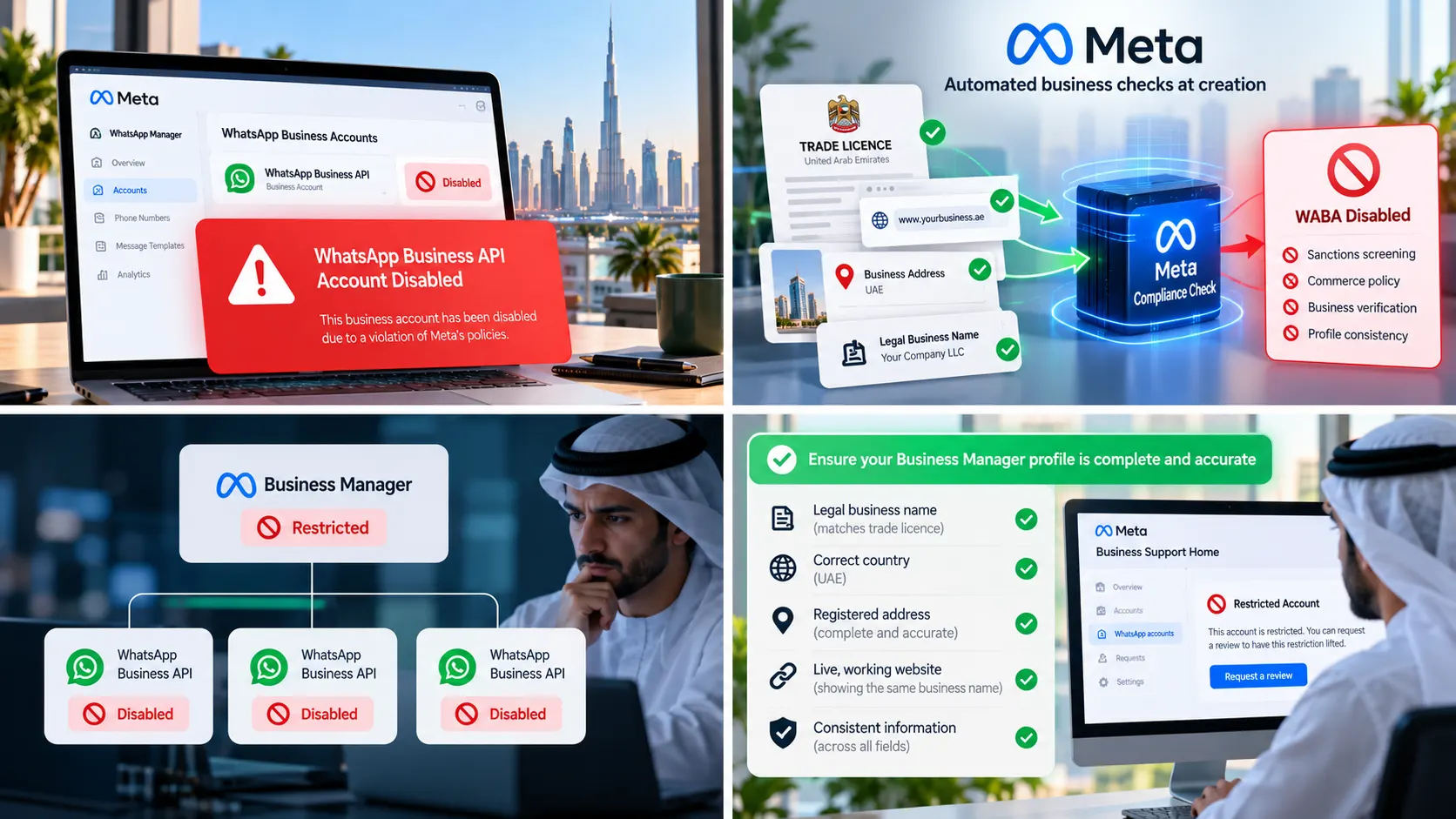
The same logic applies one level up. If a restriction lands on the Business Manager itself, or on the personal Meta account of an admin, it cascades down automatically to every WhatsApp Business Account sitting under that Business Manager, including one created five minutes earlier with no history at all. Connecting through a WhatsApp API provider doesn’t cause this and can’t prevent it either. The provider’s role is to create the account and hand it to Meta’s checks; the outcome of those checks is entirely between the business and Meta.
The Most Common Root Cause: Business Manager Profile Details
In practice, the single biggest reason a fresh WABA fails these checks is incomplete or inconsistent information on the Business Manager profile. The pattern shows up the same way almost every time:
- The business name on Meta doesn’t exactly match the name on the trade licence
- The country selected in Business Manager doesn’t match where the business is actually registered
- The address field is incomplete, generic, or a placeholder
- There’s no live, working website linked to the business, or the website doesn’t clearly show the same business name
- A personal name or a trading/brand name is used in a field that Meta expects to match legal registration
None of this involves WhatsApp messaging at all. It’s entity verification, closer to KYC than to a chat platform review, and it happens before WhatsApp enters the picture.
Why Your WhatsApp Provider Can’t Lift the Restriction for You
This is the part that frustrates businesses most, and it’s worth explaining rather than glossing over. Reputable onboarding today runs through Meta’s Embedded Signup, which is built so that the business owns its own Business Manager and WhatsApp Business Account outright. A technology provider holds a provider connection to help configure and manage the account, not administrator rights over it. That’s a deliberate safeguard, it means a provider can never take control of a client’s assets, but the practical consequence is that neither the provider nor Meta support can lift a restriction on the business’s behalf. The review has to be requested by the business itself, as the verified owner of the account.
How to Request a Review
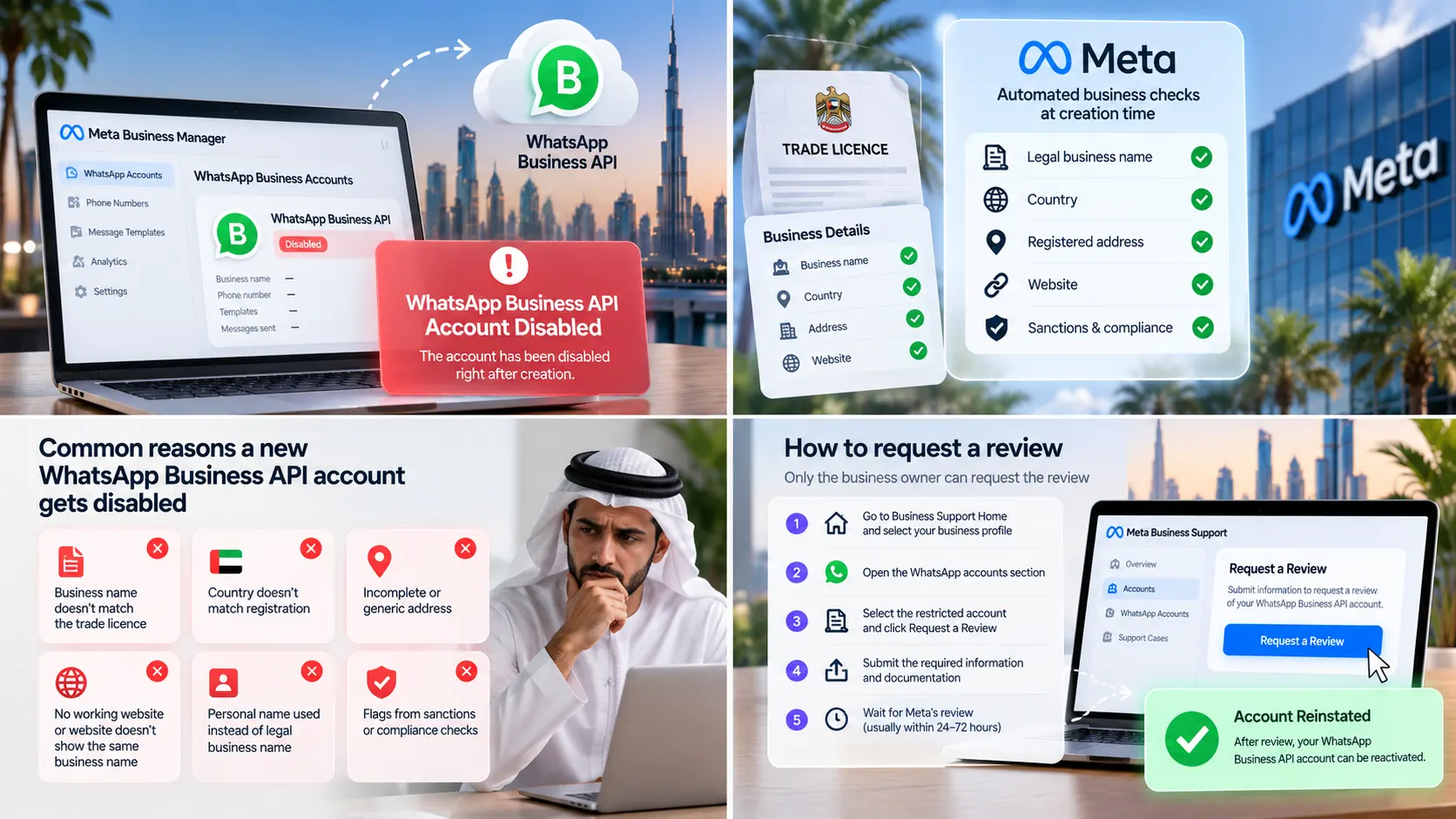
If this happens, the path is the same whether it’s the WABA or the Business Manager that’s restricted:
- Go to Business Support Home and select the business profile
- Open the WhatsApp accounts section
- Select the restricted account, the specific restrictions will be listed there, along with an option to request a review
- If the Business Manager itself is restricted, every WABA under it will show as restricted too, you can request the review from any one of them
- Complete the on-screen steps and submit any documentation requested
Appeals can generally be submitted within 90 days of the restriction, and reviews are typically resolved within 24 to 48 hours. If the appeal is approved, the phone number will need to be re-registered and two-factor authentication re-completed before messaging can resume.
A Pre-Onboarding Checklist That Prevents This
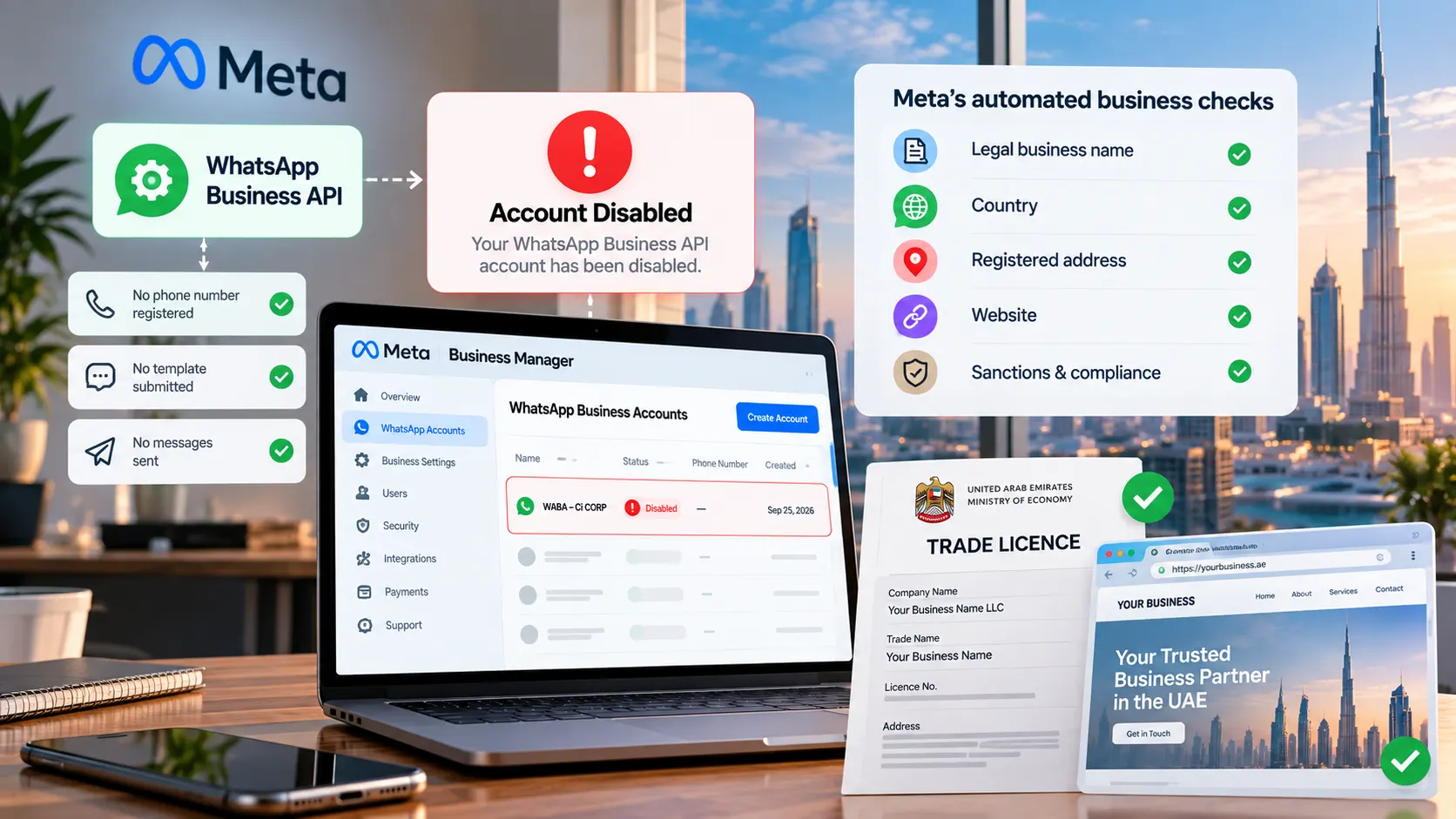
Most of these disablements are avoidable, because the checks are predictable. Before creating a new WhatsApp Business Account, it’s worth confirming:
- The legal business name in Meta Business Manager matches the trade licence exactly, spelling included
- The country selected matches where the business is legally registered
- A complete, real business address is on file, not a placeholder
- A live website is linked and clearly shows the same business name
- Contact details use a business domain rather than a personal or temporary email
Five minutes spent tightening these details before submission is, in almost every case, cheaper than the days lost waiting on an appeal.
Final Thoughts
An immediate disablement feels alarming, especially for a brand-new client relationship where trust is still being built. But once you know what’s actually being checked, the situation is far less mysterious, and far more fixable, than it first appears. It isn’t a penalty for anything the business did on WhatsApp. It’s a compliance gate on the business identity itself, and it opens back up once that identity checks out.
This is exactly why Wa Tawasul, powered by Ci CORP Digital Marketing, a Meta Verified Tech Provider, reviews a business’s Business Manager details before submitting for WhatsApp Business Account creation as part of free onboarding. Catching a name or address mismatch before submission is far faster than appealing one afterwards. Get started with Wa Tawasul for a managed WhatsApp Business API setup that’s checked before it goes live, not after.