




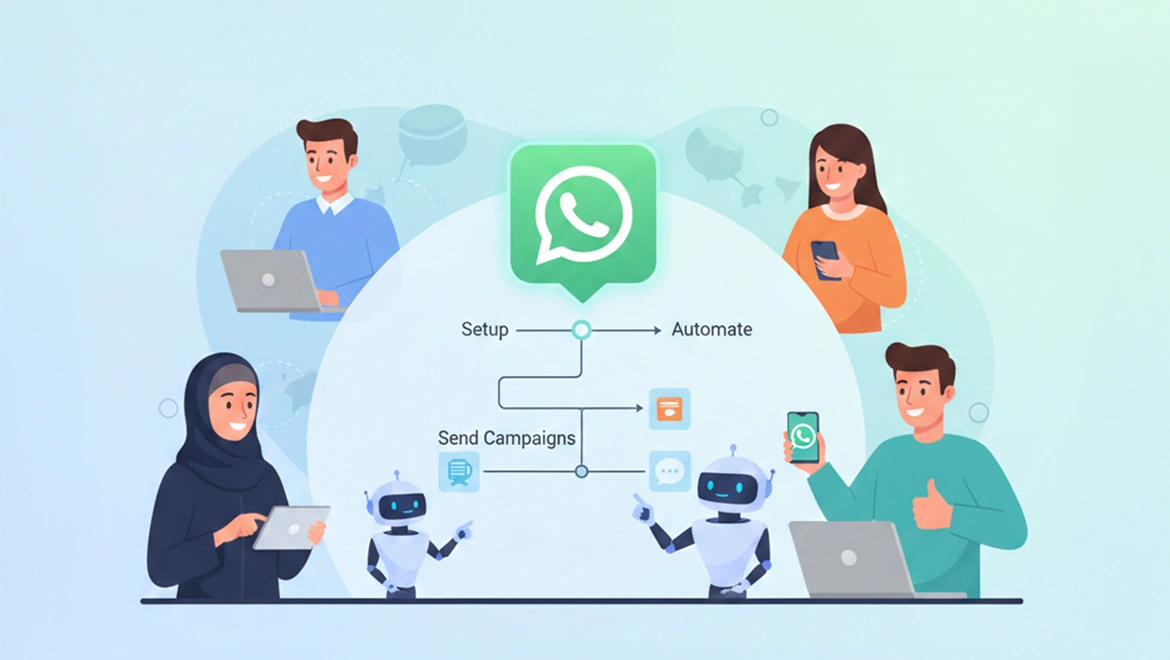
Wa Tawasul by Ci CORP | META Verified WhatsApp Business Solution Provider | Dubai, UAE
Every week, a business owner somewhere in Dubai decides to look into WhatsApp Business API, reads a few articles full of terms like webhooks, sandbox environments, and API endpoints, and quietly puts it back on the list of things to look into later. The assumption is that getting the API set up is a developer job, that it needs technical people, and that until the business has an IT team or a budget for a developer, it simply has to wait.
That assumption was understandable a few years ago. It is no longer accurate. With Wa Tawasul by Ci CORP, businesses across the UAE are setting up WhatsApp Business API, building their first automation flows, and sending their first campaigns without a single developer involved at any point. The onboarding team at Ci CORP handles everything technical, and the platform itself is built for people who run businesses, not for people who code.
This guide walks you through exactly what getting started looks like, what you will need, and what happens at each stage so you can make a clear-eyed decision about whether now is the right time to begin.
What You Actually Need Before You Begin
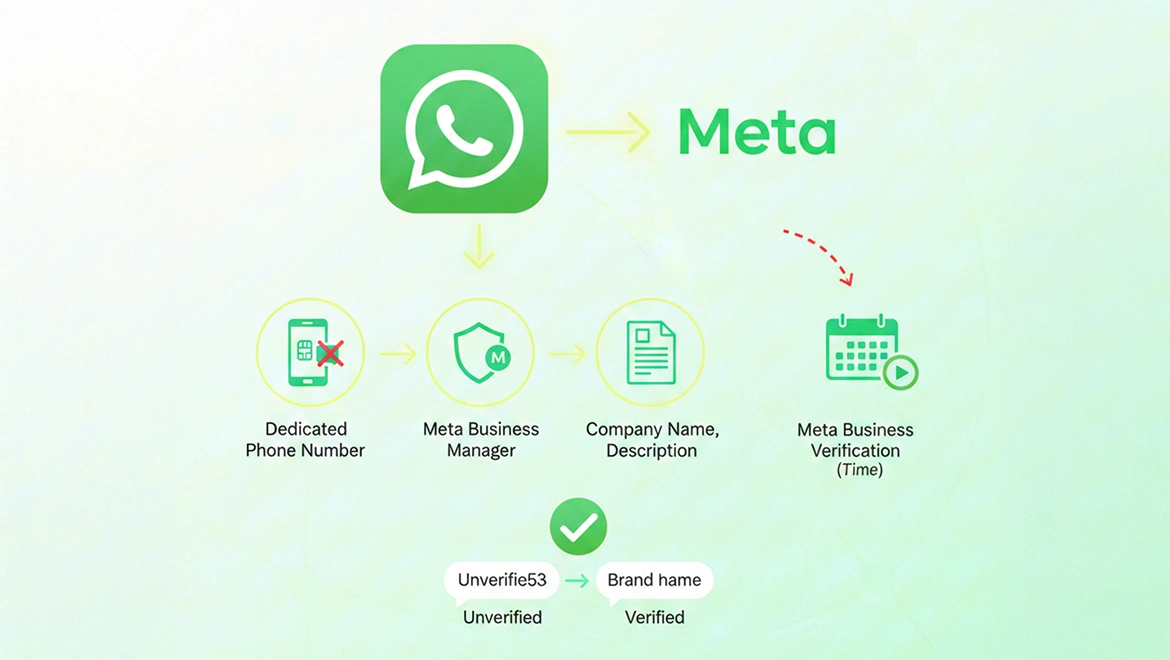
The list of prerequisites for getting started with WhatsApp Business API through Wa Tawasul is shorter than most people expect. You need a phone number dedicated to your business WhatsApp. This can be a mobile number or a landline, but it cannot be currently active on a personal or business WhatsApp account. You need a Meta Business Manager account, which is a free Meta product that functions as the administrative home for your business's connection to WhatsApp. And you need your basic business details ready, your registered company name, your website, and a business description.
That is it. You do not need a Facebook page. You do not need Instagram. You do not need a developer. You do not need server access or API credentials or any technical documentation. Wa Tawasul and Ci CORP manage the connection between your business and Meta's infrastructure entirely on your behalf.
The one thing that takes time is not technical at all. It is the Meta business verification process, where Meta confirms that your business is legitimate before granting API access. Meta Business Verification can take time (often a few business days), but it is not a blocker to starting on the WhatsApp Business Platform. Once your sender (phone number) is registered, you can begin messaging immediately; however, until your business is verified and your display name is approved, most end users will primarily see your phone number (not your brand name) in chat views.
During this unverified phase, Meta applies a starter messaging limit of 250 business-initiated conversations (template-initiated) in a rolling 24-hour window. After Business Verification + display name approval, your account can move beyond the starter tier and scale to higher limits.
Meta has also communicated upcoming changes to how these tiers work; industry partner summaries indicate the intermediate 2K/10K tiers are being removed, with verified or qualified businesses moving to a higher baseline (for example, 100K) as the rollout progresses in Q1 to Q2 2026, so limits are evolving and should be confirmed inside WhatsApp Manager for the specific WABA.
The Setup Process in Plain Terms
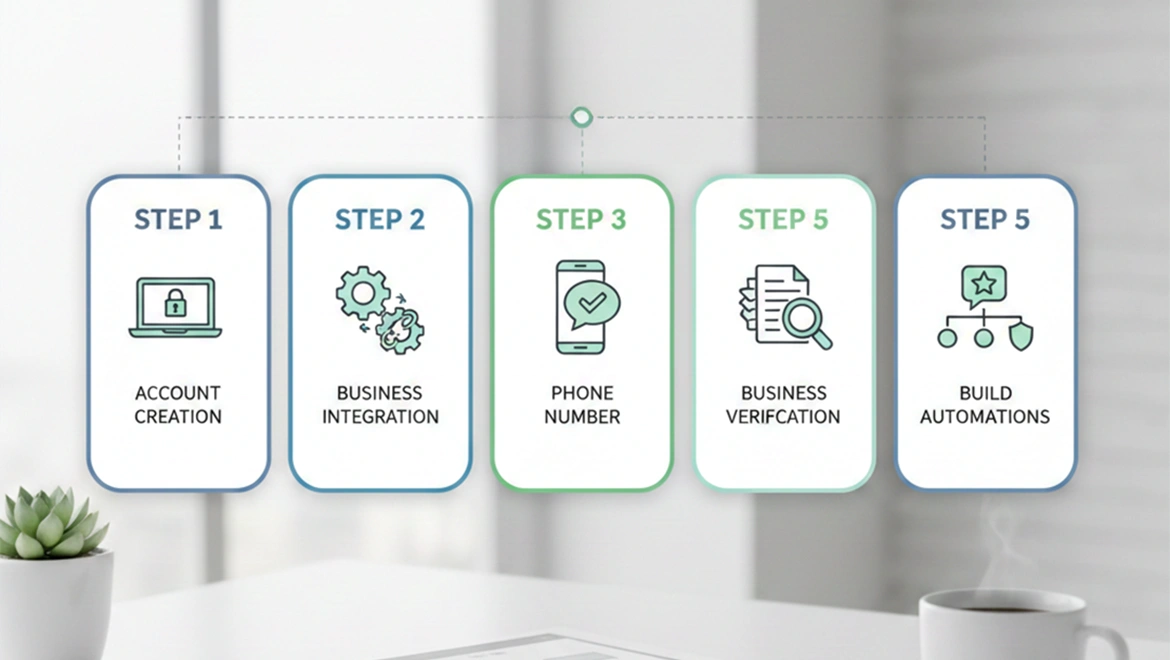
Step one: Create your free Wa Tawasul account
You start at https://app.whatsap.marketing by creating a free account. This takes a few minutes and gives you immediate access to the Wa Tawasul dashboard. At this point your WhatsApp number is not yet connected, but you can explore the platform, look at the automation builder, and get familiar with the interface before anything goes live.
Step two: Connect your Meta Business Manager
Wa Tawasul's onboarding flow walks you through connecting your Meta Business Manager account. If you do not have one yet, the onboarding guide shows you how to create it, which takes about ten minutes. If you already have a Business Manager from running Facebook or Instagram ads, you connect the same account. Either way, this step does not require any technical knowledge, it is a series of login and permission steps that Ci CORP walks you through.
Step three: Register your WhatsApp number
Your business phone number is registered through the Wa Tawasul platform. If it is a mobile number, you receive a one-time code via SMS to confirm ownership. If it is a landline, the code arrives via automated voice call. Once confirmed, your number is associated with your WhatsApp Business API account and the Wa Tawasul platform can begin managing conversations on it.
Step four: Complete Meta business verification
Meta requires businesses to verify their legitimacy before granting full API access. This involves submitting business documents such as your trade licence or equivalent, your company website, and other standard business information. Ci CORP's team reviews your submission before it goes to Meta to make sure everything is in order, significantly reducing the likelihood of delays caused by incomplete or incorrect documentation.
Step five: Build your first templates and automations
Wa Tawasul's onboarding team works with you to create your first message templates. These are the pre-approved message formats used for outbound broadcasts and automated first responses. The team also configures your initial automation flows, typically starting with a welcome message flow for new enquiries, an after-hours response, and your first follow-up sequence, so you begin generating value from the platform immediately rather than spending weeks figuring out the builder on your own.
What You Can Do from Day One of the Platform Being Live
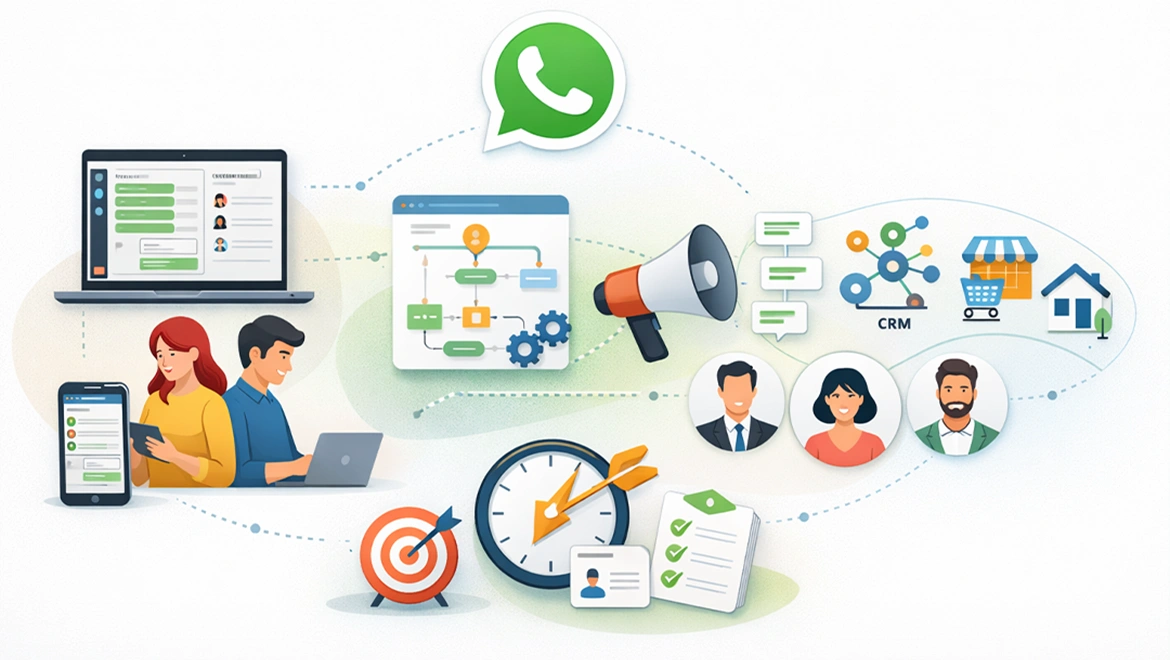
As soon as your WhatsApp Business API account is active and your number is connected through Wa Tawasul, you have access to the full platform with no feature restrictions. The shared team inbox means every member of your team can log in on their own device and handle WhatsApp conversations for your business simultaneously, through a browser on a laptop or through the mobile app (launching soon), without anyone sharing a phone.
The automation builder is available immediately. The broadcast tool is ready to use as soon as you have your first approved template. The integration options, whether you want to connect your CRM, your e-commerce store, or your property portal leads, can be configured the same day your account goes live.
Most businesses using Wa Tawasul are sending their first automated campaign within the few hours. The limiting factor is never the technology. It is usually just how quickly the team can decide on message copy and identify the right contacts list to target first.
Common Setup Questions Businesses Ask Before They Start
One of the most frequent questions is whether an existing Facebook page is required. It is not. A Meta Business Manager account is required, but this is a separate product from Facebook Pages and does not require any active social media presence.
Another common concern is about the existing WhatsApp Business App contacts. When you migrate a number to the API, your contacts do not disappear. They can still message you on the same number as before. What changes is where and how your team manages those conversations. The Wa Tawasul dashboard becomes your new WhatsApp management centre, and the app on your phone is no longer needed for business communication.
Businesses also frequently ask whether their industry is eligible. The vast majority of UAE businesses are fully eligible for WhatsApp Business API. Certain restricted categories exist, primarily in financial products, weapons, and adult content, but retail, real estate, healthcare, education, hospitality, logistics, professional services, and almost every other mainstream industry in Dubai and across the UAE operates without restriction.
Why Waiting Does Not Make the Setup Easier
There is a version of this decision where a business decides to wait until they have a bigger team, a dedicated marketing person, or more budget before setting up WhatsApp Business API. In most cases, waiting makes the problem it is trying to solve bigger rather than smaller.
Every week a business operates without automated first responses, every missed enquiry that goes cold overnight, every broadcast that does not go out because there is no infrastructure to send it, represents revenue that either goes to a competitor or simply does not get captured. The cost of delay is real, it just does not appear on an invoice.
With Wa Tawasul's free start and the free onboarding that Ci CORP provides with every account, there is no longer a meaningful financial barrier to getting started. The setup is handled for you. The platform is built for non-technical users. And the team is available seven days a week from 9am to 9pm UAE time to help with every step. The right time to start is the same for almost every UAE business: now.
Frequently Asked Questions
Q1. Do I need a UAE trade licence to apply for WhatsApp Business API?
Meta requires business verification as part of the API setup process, which typically involves providing evidence that your business is legitimate. In the UAE, this usually means submitting your trade licence or equivalent documentation. Businesses that operate without a formal trade licence, such as certain freelancers or home-based businesses, may face additional verification requirements. Ci CORP's onboarding team advises on your specific situation before you submit documentation to Meta.
Q2. Can I use a virtual UAE phone number for WhatsApp Business API?
Some virtual numbers are compatible with WhatsApp Business API registration, but not all. The number must be able to receive either an SMS or a voice call for verification purposes. Many VoIP and virtual number services do not support this. Wa Tawasul's team can advise on whether your specific number type is likely to work, or can help you identify a suitable business number to use for the API registration.
Q3. What happens if Meta rejects my business verification application?
Meta can reject verification applications for reasons including insufficient documentation, inconsistent business information, or a mismatch between the submitted details and what Meta can verify independently. When this happens, Meta provides a reason and businesses can reapply. Ci CORP reviews all verification submissions before they go to Meta specifically to catch these issues beforehand and ensure applications go in complete and accurate the first time.
Q4. Is there a limit on how many agents can access the Wa Tawasul shared inbox at the same time?
Wa Tawasul's shared inbox supports multiple concurrent users with no practical ceiling that most UAE businesses will encounter. Every agent logs into the platform with their own credentials, and all conversations on your WhatsApp number are accessible to the whole team simultaneously. Conversation assignment ensures that two agents do not reply to the same customer at the same time. You can also assign agent only access, so one agent doesn’t see another agents contacts and chats.
Q5. Can I set up WhatsApp Business API for multiple business numbers at the same time?
Yes. Businesses with multiple locations, multiple brands, or multiple products that each need a distinct WhatsApp presence can manage separate numbers on the same Wa Tawasul account or through separate accounts. Ci CORP advises on the best structure during onboarding based on your specific business setup and whether centralised or separate management would serve your team better.
Q6. How long does Meta's business verification typically take for UAE companies?
For UAE businesses with clear documentation, complete business information, and a well-established online presence, verification typically completes within one to five business days. Businesses with limited online presence or complex corporate structures may take longer. Ci CORP tracks all pending verifications and follows up with Meta directly if applications are delayed beyond the expected timeframe.
Q7. Does Wa Tawasul provide training for teams who are new to the platform?
Yes. Training is included as part of the free onboarding. Ci CORP's team walks your team through the platform, covering inbox management, automation builder, broadcast tool, and reporting. Follow-up training sessions can be arranged for larger teams or for businesses that add new staff after initial onboarding. The Wa Tawasul knowledge base is also available 24 hours a day through the website for self-directed learning.
Q8. What is the first automation most UAE businesses set up on Wa Tawasul?
The most common first automation is an instant welcome message flow triggered when someone messages your WhatsApp number for the first time. This flow acknowledges the enquiry immediately, collects basic information such as name and what the person is looking for, and either routes the conversation to the appropriate team member or continues with a guided response sequence. For many businesses, this single automation alone justifies the entire platform investment within the first month.
Q9. Can I manage Wa Tawasul from a mobile device or does it require a desktop computer?
Wa Tawasul is accessible from any web browser, including mobile browsers, so team members can manage conversations, check the inbox, and review reports from a smartphone or tablet. For building automation flows and managing templates, a desktop or laptop is recommended for ease of use, but day-to-day conversation management is fully functional from a mobile device. Soon our dedicated mobile apps will be available for both iOS and Android
Q10. Is the WhatsApp number I register with Wa Tawasul exclusive to Wa Tawasul, or can it be used elsewhere simultaneously?
A WhatsApp Business API number can only be active on one platform at a time. When your number is registered through Wa Tawasul, it cannot simultaneously run through another BSP or on the standard WhatsApp Business App. If you decide to change platforms in the future, your number can be migrated, but it must be deactivated on Wa Tawasul first before being connected to another provider.